I still remember my first solo afternoon getting lost inside Marrakech’s medina: the scent of orange blossom and cumin, a chorus of bargaining and motorbikes threading the alleys, and me, clutching a paper map that folded itself into an indecipherable origami. Since then I’ve learned how to blend low-tech local instincts with a little modern help: Google Maps offline plus a Moroccan SIM card is my go-to combo for navigating the souks without losing the mood of discovery.
Why you want both offline maps and a local SIM
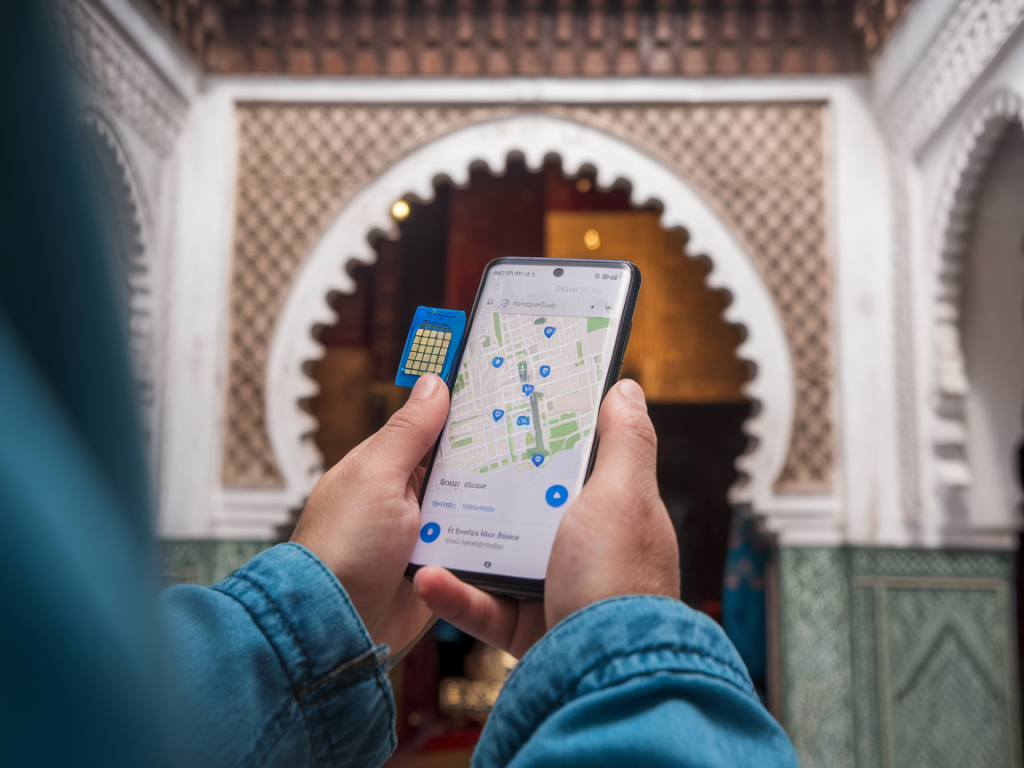
Google Maps’ offline mode gives you reliable GPS positioning without needing continuous mobile data. A Moroccan SIM, meanwhile, makes it easy to top up, download larger map areas, get fresh recommendations, and share live locations with companions. Together they mean fewer wrong turns, fewer panicked "where are you?" messages, and more time lingering over mint tea.
Which Moroccan SIM to choose — quick comparison
In Marrakech you’ll find three main operators: Maroc Telecom (IAM), Orange Morocco, and Inwi. Each has stores at the airport, major hotels, and around Gueliz. Here’s a short table of what I usually consider when choosing:
| Operator | Strengths | Notes |
|---|---|---|
| Maroc Telecom (IAM) | Best nationwide coverage | Good for remote day trips (Atlas, Essaouira) |
| Orange Morocco | Easy packages, solid speed in cities | Simple top-up via app or scratch cards |
| Inwi | Competitive data prices | Often cheaper short-term plans |
Tip: if you use a dual-SIM phone, keep your home SIM and the Moroccan SIM active for incoming calls/texts. If you prefer not to swap physical SIMs, eSIM options are becoming more common (Airalo, Orange eSIM), but check compatibility with your phone before leaving.
Where to buy and what to ask for
I usually buy my SIM at the airport kiosk or a main operator store in town. You’ll need your passport for ID registration (Moroccan law requires it). Ask for:
- a prepaid data bundle (1–10 GB is typical for a week-long trip)
- SMS credit if you expect to receive verification codes
- help activating APN settings if data doesn’t work straight away
- a pin-free SIM or help unlocking the PIN so you don’t get stuck
Activation is usually instant. For topping up, you can buy scratch cards from corner shops or use the operator’s app/USSD codes — staff will show you the steps if needed.
Preparing Google Maps offline areas — step-by-step
Before you arrive in the medina (and ideally before you land), create offline maps. I do this from my hotel or a café with a solid Wi‑Fi connection.
- Open Google Maps and sign into your Google account.
- Search for “Marrakech” or a specific neighborhood (Medina, Jemaa el-Fna).
- Tap your profile picture > “Offline maps” > “Select your own map”.
- Zoom and pan to cover the medina and surrounding neighborhoods you plan to explore, then tap “Download”.
- Consider downloading separate tiles for any day trips (e.g., Ourika Valley, Essaouira) — you can download multiple areas.
Important: offline areas expire after 30 days unless updated, and very large areas can consume lots of storage. Check map size (it shows before download) and free up space or download smaller adjacent tiles if necessary.
How to use Google Maps offline inside the souks
Once offline maps are downloaded you’ll get accurate GPS positioning even with data turned off — GPS satellites don’t need mobile data. Here’s how I navigate the medina:
- Start with a pin: drop pins for your riad, a major square (Jemaa el-Fna), and any workshops or stalls you want to find again. Pins are key in a place where street names aren’t always visible.
- Save walking routes: for complicated walks (e.g., from the main square to a carpet shop hidden inside a souk), open walking directions while you still have data and let Maps cache the route.
- Use the compass and scale: if alleys feel disorienting, hold your phone level and rotate slowly — the arrow on Maps points you toward your destination even when GPS accuracy is reduced by narrow walls.
- Download offline places: save key businesses and restaurants to your account. Their cached details (phone, address) will still show while offline.
Limitations to expect — and workarounds
GPS accuracy can drop in dense alleys with tall walls or under awnings. Here’s how I cope:
- If GPS seems off by 10–40 meters, don’t panic — use visual cues: colored tiles, shop signs, fountains. The map will be “close enough” to get you to a recognizable landmark.
- In tricky spots, ask a local vendor for directions and confirm by showing them the pin on your screen — people are generally happy to point you the right way.
- Maps offline search is limited: searches for business categories may not return everything. Save key addresses beforehand or take a screenshot of the map area as a fallback.
Practical tech tips for a long day in the medina
- Carry a small power bank and a short charging cable — lots of walking, lots of photos, and Maps use drains battery fast.
- Enable battery saver and switch screen brightness to auto or lower it when possible.
- Set your phone to airplane mode but enable GPS (on iOS you can turn on Bluetooth/GPS while in airplane mode; on Android, allow location while in airplane mode). This stops unnecessary data roaming while keeping position tracking working.
- Keep your phone in a front pocket or cross-body bag to avoid pickpocket risk. Use a discreet case rather than a flashy camera strap.
- Save directions or take screenshots of critical steps (like an alley turn sequence) — useful if your battery dies.
Sharing location and meeting up
With a local SIM you can use WhatsApp or Google Maps’ “Share location” feature to send a live pin to friends. If you prefer privacy, send a static pin. When meeting someone in a busy square, agree on a visible landmark (a fountain, a cafe, a minaret) and pin that spot — it’s easier than trying to describe two adjacent alleys.
Extra things I do to make the experience richer
I combine maps with sensory notes: I mark where the best msemen, orange juice stands, or a quiet riad courtyard are. My maps become a small personal guide I can revisit. And I always keep my camera ready — the side-light in the souks at golden hour is why I wander back again and again.
Navigation in Marrakech doesn’t have to be a frantic scramble. A downloaded Google Map and a simple Moroccan SIM card let you move confidently through the maze, leave room for serendipity, and return to the exact stall where that perfect spice blend (or photo) waited.